Digital Imaging
Provides a comprehensive practical guide to the entire digital chain, from capture -- with coverage of digital cameras, to output -- with extensive information on image adjustments and colour management.
 TABLE OF CONTENTS
 To develop an understanding of the hardware options available within digital imaging.
To be able to make decisions about the most appropriate form of digital output.
To understand the available options for scanning images.
Research and evaluate the various hardware devices available for digital imaging, including:
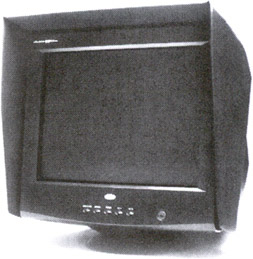
monitors
scanners
disc storage
printers
Today, the selection of computer platform does not itself define the choice of imaging software. It is true to say that some software is written specifically for PC or Mac, but the accepted benchmark, Adobe Photoshop, works equally well on both. Although most professionals prefer the Mac, the main difference between the two systems these days is in colour management. Because of this, it is best to use Windows 98 rather than earlier operating systems if using the PC platform (see 'Colour Management', page 63).
Any computer system is only as good as the individual parts that comprise it, so let us consider each major component in some detail.
In many ways this can be considered as the heart of any imaging system. Aspects to consider are the size, the quality and the reliability of colour that the screen can display. 'Screen real estate', an often used term, refers to the amount of usable space within the viewing area. This is influenced not only by the physical size of the monitor itself but also by the space taken up with palettes and other software controls.