Digital Imaging
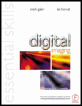
Provides a comprehensive practical guide to the entire digital chain, from capture -- with coverage of digital cameras, to output -- with extensive information on image adjustments and colour management.
 TABLE OF CONTENTS
 An image must first be captured or scanned with the appropriate tonality and colour (see 'Scanning and Image Adjustment'). The digital file can then be prepared for the final output device so that it may be viewed in its optimum state. Whether images are destined to be viewed in print or via a monitor screen the image usually needs to be sized, optimised, retouched and enhanced. The original scan or capture will usually possess pixel dimensions that do not exactly match the requirements of the output device. In order for this to be corrected the user must address the issues of 'Image Size', 'Resampling' and 'Cropping'.
Before you start to edit your digital image it is well worth acquiring good working habits. Good working habits will prevent the frustration and the heartache that is often associated with inevitable 'crash' (all computers crash or 'freeze' periodically). As you work on an image file you should get into the habit of saving the work in progress and not wait until the image editing is complete. It is recommended that you use the 'Save As' command and continually rename the file as an updated version. Unless computer storage space is an issue the TIFF or PSD file formats should be used and not the JPEG file format for work in progress. Before the computer is closed down the files should be saved to a removable storage device such as Zip. In short save often, save different...