Digital Imaging
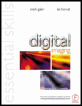
Provides a comprehensive practical guide to the entire digital chain, from capture -- with coverage of digital cameras, to output -- with extensive information on image adjustments and colour management.
 TABLE OF CONTENTS
 To offer an independent resource of technical information.
To develop an understanding of procedures involved in scanning photographic images.
To develop knowledge and understanding about the control that can be exercised over digital image structure.
Capture digital image files using knowledge concerning:
resolution
image mode
file format and output size
image correction and control
It is essential that the information captured during the scanning process is as faithful to the original detail as possible. The complete tonal range of the original (from the deep shadow detail to the bright highlight detail) should be captured. The colour should be recorded accurately (a colour cast should not be apparent). Missing information cannot be replaced later (magic wand or no magic wand).
To maximise the quality of the final digital image use a high quality original and spend some time getting the best possible scan from the print or film.
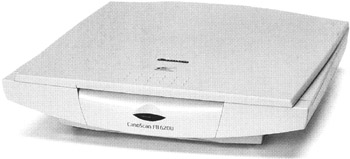
A good scan will:
Have sufficient pixels for the required image size and output device (see 'Digital basics > Calculating image resolution for output ', page 13).
Capture the full range of highlight and shadow detail of the original (see 'Adjusting tonality and colour ', page 51).
Be colour corrected to that of the original (see 'Removing a colour cast ', page 57).
To ensure a good scan you must have:
Knowledge of the file size and/or scanning resolution (see 'Scanning resolution ', page 50).
A clean original image and scanning device.