Digital Imaging
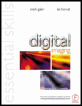
Provides a comprehensive practical guide to the entire digital chain, from capture -- with coverage of digital cameras, to output -- with extensive information on image adjustments and colour management.
 TABLE OF CONTENTS
 One of the most skilled areas of digital retouching and manipulation is the ability to make accurate selections of pixels for repositioning, modifying or exporting to another image. This skill allows localised retouching and image enhancement. Obvious distortions of photographic originals are common in the media but so are images where the retouching and manipulations are subtle and not detectable. Nearly every image in the printed media is retouched to some extent. Selections are made for a number of reasons:
Making an adjustment or modification to a localised area, e.g. colour, contrast etc.
Defining a subject within the overall image to move or replicate.
Defining an area where an image or group of pixels will be inserted ('paste into').
Three categories of selection tools are available for selecting groups of pixels in very different ways. These categories are:
The 'marquee tools' select pixels by drawing a rectangle or elliptical shape around an area within the image.
The 'lasso tools' are used to draw a selection by defining the edge between a subject and its background.
The 'magic wand' selects groups of pixels by evaluating the similarity of the neighbouring pixel values (hue, saturation and brightness) to the pixel that is selected.
At the top of the tool palette in Photoshop are the selection, crop and move tools. Some tools in Photoshop are hidden.
To select a tool you can:
Select the visible tool by clicking its icon.
Click on...