Digital Imaging
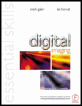
Provides a comprehensive practical guide to the entire digital chain, from capture -- with coverage of digital cameras, to output -- with extensive information on image adjustments and colour management.
 TABLE OF CONTENTS
 When printing in a traditional black and white darkroom it is possible to enhance the final print by changing the exposure or contrast to localised areas. Digital enhancement also allows localised modification. This is possible in two distinctly different ways. A selection can be made using the selection tools (see 'Selection tools') and the pixels adjusted using the 'Adjust' commands to be found in the Image menu. Alternatively the adjustments can be directly painted onto the pixels using the retouching tools. The tools include:
Dodge, burn and sponge
Smudge
Sharpen and blur
Double click any tool to bring up its options. Each of these tools requires a pressure, exposure or opacity to be set along with an appropriate brush size which is selected from the brushes palette. Start with a low exposure, opacity or pressure setting and paint with the tool several times to modify in stages rather than choosing a higher setting and trying to achieve a similar effect in one stroke. Great care needs to be taken not to make the retouching obvious when using these tools.
The dodge and burn tools are used to lighten and darken pixels whilst the sponge tool increases or decreases saturation (RGB images) or contrast (Grayscale images). The dodge tool and burn tools can concentrate their effects to the Midtones, Shadows or Highlights by selecting them from the pull-down menu in the options palette. This same pull-down menu is used to select Saturate or...