Digital Imaging
Provides a comprehensive practical guide to the entire digital chain, from capture -- with coverage of digital cameras, to output -- with extensive information on image adjustments and colour management.
 TABLE OF CONTENTS
 The primary tool for localised retouching is the 'Rubber Stamp' tool. It is able to paint with pixels selected or 'sampled' from another part of the image. These pixels can be tones, colours or textures required to disguise blemishes or replace subject matter. The tool is used as follows:
Choose a brush size from the brushes palette.
Select a sampling point by Option/Alt-clicking on a colour or tone (this sample point is the location from where the pixels are copied).
Drag the tool over the area to be modified (a cross hair marks the sampling point as you paint).
| Note | Deselect 'Aligned' in the rubber stamp palette to return to the initial sampling point every time you stop and resume painting. If a large area is to be repaired it is advisable to take samples from a number of different points to avoid a noticeable pattern being created. |
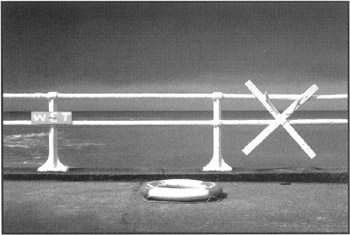
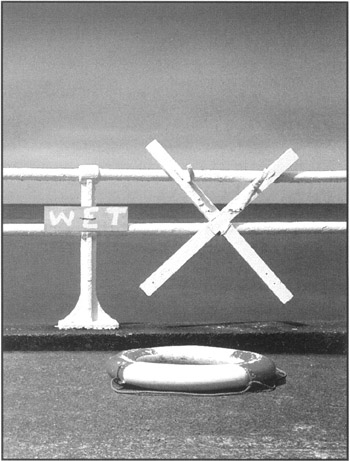
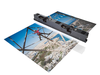
The tool is often referred to as a 'Cloning Tool' because rather than removing pixels it is cloning groups of pixels from another area. With care it is possible to duplicate an entire subject within the image. The image above demonstrates how a landscape composition has been manipulated to fit a portrait format. This has been achieved by cloning the sign and the life-ring and moving them to the right. The original life-ring is then removed.
Ideally if the original image and scanning equipment is clean...