Vegas Editing Workshop, Second Edition

Aside from capturing media, many methods can be used to bring media into Vegas. Vegas is format agnostic and resolution independent, meaning that nearly any form of media recognized by the Microsoft Windows operating system can be imported to the Vegas timeline as an event.
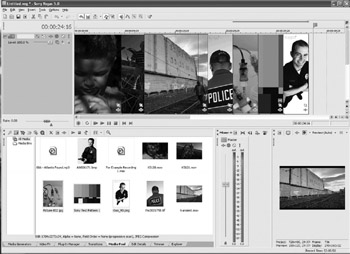
Vegas has an Explorer that by default opens in the lower-left corner of the dockable tool space. This Explorer can be dismissed from view and recalled at any time by pressing ALT+1. The Explorer is a dockable tool that can be sent to a second monitor to preserve space on the timeline.
Open and view the Explorer. Any form of media that can be imported is shown in the Explorer. Media files, such as GIF, TGA, JPEG, BMP, PNG, TIFF, MOV, AVI, WMV, and MPG are all media file formats that can be opened in Vegas.
| Tip | If QuickTime files are to be viewed and edited within Vegas, the QuickTime full install is required. Visit www.quicktime.com and download the current player. When installing, three choices are presented: Full Install (recommended), Custom Install, and Minimal Install. Choose full installation so that Vegas is able to access authoring tools for the QuickTime MOV file type. Without this installation, Vegas won t be able to access or edit QuickTime files or TIFF files. |
All media formats may be placed on the same...