Vegas Editing Workshop, Second Edition

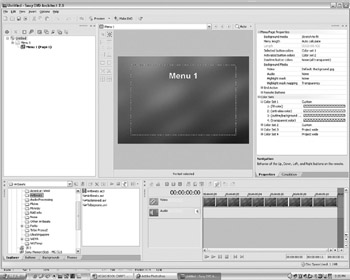
DVD Architect 2 (DVDA) is an extension of the Vegas 5 NLE system. Until now, authoring a DVD has been a fairly complex and expensive undertaking; however, with DVDA, Sony has taken DVD authoring to a new level.
In keeping with the format-agnostic/resolution-independent attributes in Vegas, DVDA also allows nearly any format of media to be placed on the workspace. DVDA encodes files directly from the workspace, saving render time and helping prevent bad DVD burns because of errors in the editing process. Additionally, DVDA is capable of creating a DVD slideshow as a drag-and-drop process, having motion backgrounds, motion buttons, and motion submenus and menus. All aspects of the DVD can be previewed before burning the DVD.
Menu flow is a critical component to having a clear message in the DVD content. This aspect should be planned out before inserting media into the DVD project. With a weak flow, viewers of the DVD can easily be confused. It s usually helpful to create a workflow chart on paper before starting the layout of a DVD project, much like the flow chart shown in Figure 9.1.
Giving advance thought to layouts also helps build comprehensive menus as to how they should be laid out in DVDA, saving unnecessary steps...