The Focal Easy Guide To Flash MX 2004: For New Users and Professionals
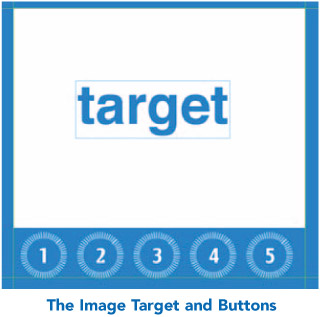
For your Gallery page, if you were to create a Flash movie and put lots of jpeg images in it, you could end up with a very large file size and clients may not have the patience to wait for it to download. So instead of embedding images within this site, we are going to look at using buttons and behaviors to load an external image onto a target on your page.
In order for this to work simply, all your images must be jpegs that you have previously optimized and cropped to the same size as your target using an Image Editing program like Fireworks or Photoshop. In this example, the target and the image sizes are all 390 290 pixels, but this will vary according to your design.
Another way to keep this whole process very simple is to make sure that all of your jpegs are in the same folder as your Flash project and final Flash movie.
Next create a new movie clip symbol, which is a simple rectangle and call it ' mcTarget'.

Make sure that the top left-hand corner of the rectangle snaps onto the crosshair in the center point of the symbol. If you do not do this then your image will not load correctly.
Then drag a copy of ' mcTarget' into your main movie. You can check the pixel dimensions of this movie clip in the Info panel