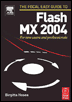
The Focal Easy Guide To Flash MX 2004: For New Users and Professionals
Chapter 8: Animation

Overview

Animation is the illusion of movement caused by a sequence of pictures changing rapidly over time. Due to a process known as the 'persistence of vision' our eyes are tricked into seeing these still images as being in motion rather than as individual pictures.

To create animation with Flash you also create a series of still images on the Stage and change them over time. A change is recorded by a keyframe, so each time you move, redraw, rotate, etc. your drawings on the Stage you will need to create a keyframe to save all the different drawings in your sequence. You will then be able to play them back and see your drawings come to life.

There are two different ways to produce animation in Flash. The first is very intuitive. Frame-by-frame animation involves drawing each frame individually. The second may seem more complex, but once you have grasped the concepts of animating with tweening you will be able to save yourself a lot of time.

Creating a Banner Ad with Frame-by-Frame Animation

  1. Start a new Flash Project. Modify your document so that it is 468 60 pixels in size with a frame rate of 15 frames per second.

  2. A good length for a banner ad is three seconds, so try to keep all your animation within a duration of 45 frames.

  3. Experimenting with the different drawing tools and the marks they make, design a background either a...

UNLIMITED FREE
ACCESS
TO THE WORLD'S BEST IDEAS

SUBMIT
Already a GlobalSpec user? Log in.

This is embarrasing...

An error occurred while processing the form. Please try again in a few minutes.

Customize Your GlobalSpec Experience

Category: Mechanical Computer Aided-Design Software (MCAD)
Finish!
Privacy Policy

This is embarrasing...

An error occurred while processing the form. Please try again in a few minutes.