The Focal Easy Guide To Flash MX 2004: For New Users and Professionals
The MX series of programs have interface elements that are common to all Macromedia web and multimedia authoring products. So, once you are familiar with one of the Macromedia programs, you will be on your way to understanding the others.

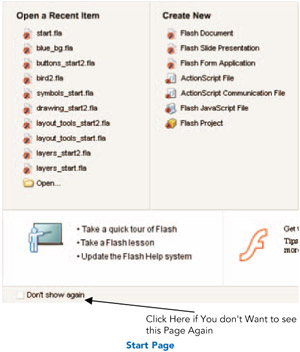
The Start Page is a new feature of Flash MX 2004 and one that is becoming common across many other programs too. It allows you to quickly access files and create new items. When you first begin to use the program it is worthwhile spending some time taking the quick tour of Flash and taking some of the in-built Flash lessons, which you can access from this page.
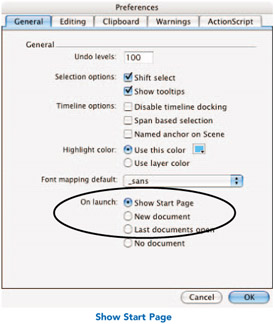
If you don't want to see this page again, click in the check box to select Don't show again. If you want to make sure that this page will open each time you open Flash, you need to select this in the preferences. To do this on a Mac, go to Flash > Preferences > On launch > Show Start Page.

To do this on a PC, go to Edit > Preferences > Show Start Page.

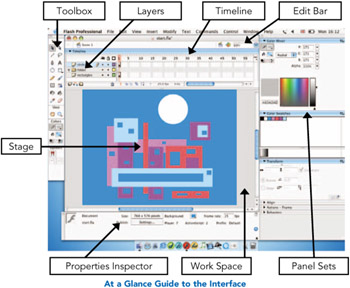
Menus Just as in any other software program, access different parts of the software by choosing from the menus at the top of the screen.
Stage This is where you create and view your design work.
Workspace The gray area off the edge of the Stage that won't be seen in the final...