The Focal Easy Guide To Flash MX 2004: For New Users and Professionals
It is not possible in one little Easy Guide to cover all of the different media that you could export to from Flash. This chapter covers export from Flash to print, video, DVD and stand-alone projectors.

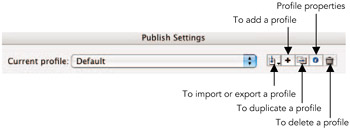
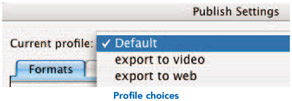
Publishing profiles are a way of saving information about your export options that you can go back to and re-use. When you export for many possible cross-media outputs, you can save a profile in the Publish Settings window for each output type.
To create a profile:
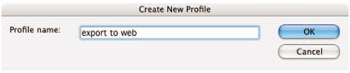
Select File > Publish Settings and then click on the add a profile button. Give the new profile a name.

Then select the formats required and the necessary options for your new profile.

You will now be able to select it from the different profiles you have created.
If you want to re-use this profile in another document or even share it with a colleague so that can use the same settings, click on the export profile button and select export. This creates an XML file, which can be used in other Flash document.
If you want to export individual still images, for example to use as a printed graphic, go to the frame you want to export and then select File > Export > Export Image.
If you want to export for print, choose Adobe Illustrator as the file type. This will maintain all the vector parts of your image.
It is always good practice...