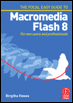
The Focal Easy Guide to Macromedia Flash 8: For New Users and Professionals
You cannot use Flash to take video directly from a tape or a camera. You will need to use a video-editing program like Adobe Premiere Pro, iMovie or Final Cut Pro for this.
In order to bring video into your computer, it must first be converted into a digital form that your computer will understand.
There are several ways to do this:
Use a digital video camera and input/output the video via an IEEE 1394/Firewire cable connected from the camera to an IEEE 1394/Firewire port on the computer.
Use a traditional analogue camera or video deck and connect this to a video capture card installed inside your computer. This will convert the information from analogue to digital.
Create moving images in the computer with an animation program.
Choosing Cameras at IBC, Amsterdam, Using Video in Flash
Video can be imported as:
Macromedia Flash Video (FLV)
Flash will also allow you to import the following moving image file formats if you are on a Mac or PC with QuickTime 7 or later installed:
AVI
MPEG (will not import audio on a Mac)
QuickTime
If you are on a PC and have DirectX 9 or later installed, you can also import the following formats:
AVI
MPEG
Windows Media
Video files are imported using either Sorenson Spark compression or On2 depending on whether you intend to publish to Flash...