The Focal Easy Guide to Macromedia Flash 8: For New Users and Professionals
In this exercise, we will create a Links page for a web site.
Follow the steps earlier in this chapter to create a button symbol or use one of the designs that come with Flash in Window > Common Libraries > Buttons.
Drag a copy from the Library onto the Stage.
Hold down the ALT key and drag on the button to create copies of it. Make a button for each link you want to use. Place them on the left-hand side of the Stage in a vertical line.
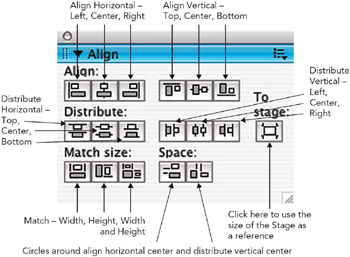
Select all of the buttons and use the Align panel to space them equally. If you can t see the Align panel, go to Window Align or more simply
/CTRL + K.
The Align Panel
Making sure To Stage is not selected, click on align horizontal center and distribute vertical center. Your buttons should now be perfectly positioned. Click on the background of the Stage to de-select them.
Name Each Button
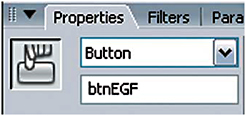
Select the first button that you want to add a link to and give it a name that will remind you of its function in the Properties Inspector.
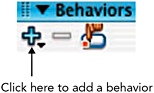
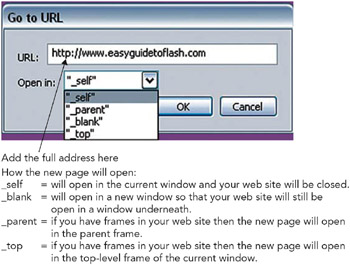
Open the Behavior panel, if you can t see it, go to Window > Behaviors. Click on the plus sign to add a behavior and choose Web > Go to Web Page.
Behavior
Go to URL