Instant Encore 1.5

The Interface

As you assemble your project, you will use several windows, tabs, and palettes. It is important to understand the function of each window in the application in order to get the most out of Encore.

The Project Window

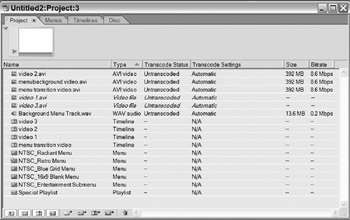
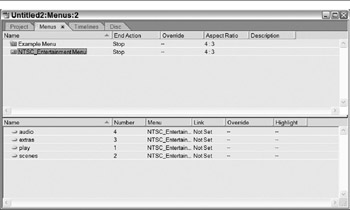
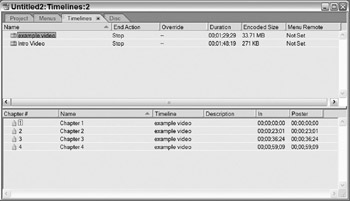
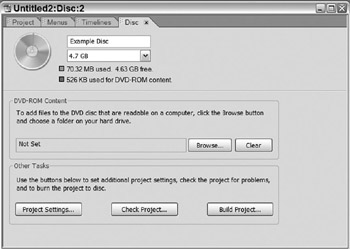
The Project window is the master window providing instant access to all parts of a project. It contains four main tabs representing the major aspects of a project.

The Project tab displays all the files used in a project: assets, menus, and timelines.

The Menu tab shows all the menus in a project. When a menu is selected, the lowest pane shows all the buttons in the menu.

The Timelines tab displays all the timelines in a project. If a timeline is selected, its chapter points are displayed in the lowest pane.

The Disc tab is used in the final stages of a project. It presents options when building a final project.

The Palette Window

The Palette window is a collection of the most essential tools in Encore.

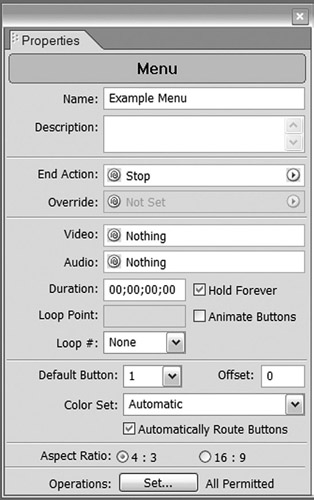
The Properties palette is the most frequently used palette in Encore. It displays the properties of selected items.

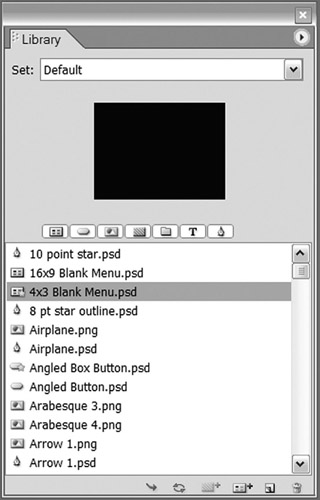
The Library palette stores frequently used graphics, buttons, menu backgrounds and menu templates.

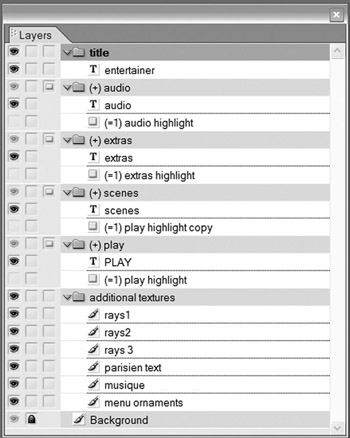
The Layers palette gives a look into the structure of menus and buttons.

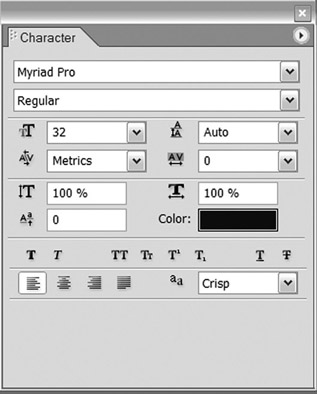
The Character palette provides several options for customizing text in a menu and for subtitles.

The Menu Editor

You can create menus in the Menu Editor. This is where you can adapt templates for a project. If there...

UNLIMITED FREE
ACCESS
TO THE WORLD'S BEST IDEAS

SUBMIT
Already a GlobalSpec user? Log in.

This is embarrasing...

An error occurred while processing the form. Please try again in a few minutes.

Customize Your GlobalSpec Experience

Category: Project Management Services
Finish!
Privacy Policy

This is embarrasing...

An error occurred while processing the form. Please try again in a few minutes.