Instant Encore 1.5

Encore will import of a wide variety of graphic formats. These graphics may be used in a slideshow, become a part of a menu, or both.
| Note | Remember that files may also be dragged and dropped directly into the Project window. |
Encore supports BMP, MPEG, TIFF, GIF, JPEG, PNG, EXIF, and PSD. When QuickTime is installed, it also supports TGA and PICT.
| Note | Importing a PSD file as a graphic discards the layers. |
To import a file as a graphic:
Right-click inside the Project tab.

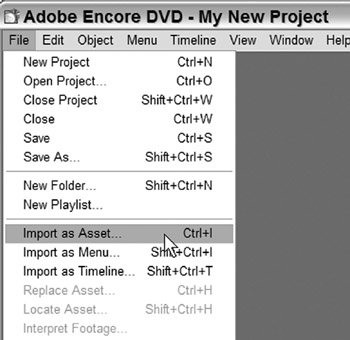
Select Import as Asset.
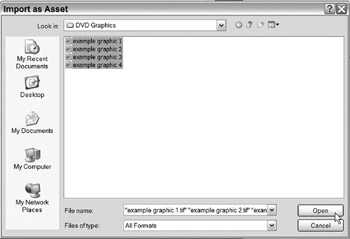
This opens the Import as Asset dialog.
Locate and select the graphic file(s).
Holding Ctrl while clicking selects multiple files.
Click Open.
The graphics have now been imported into the Project tab.