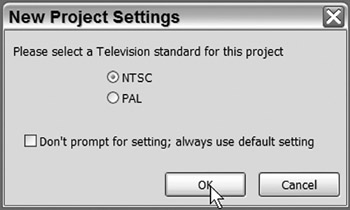
When you open a new project, the Don't Prompt for TV Standard option is given in the Project TV Standard dialog. If you check this box before clicking OK, the next time you open a new project, it will immediately use the TV standard you chose earlier.
You can turn the Prompt for Television Standard back on for new projects, even if the "Don't Prompt" box was checked in the New Project settings. This is done by accessing the General Preferences settings. However, if you open a project under one particular TV standard, reactivating the prompt does not change the TV standard for the present project.
| Note | An "Asset" is any video, graphic, audio, or other element to be used in the creation of the DVD. Manage your assets carefully for the most efficient use of your time and the Encore application. |
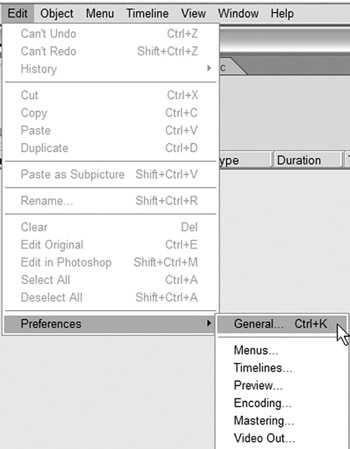
To access the General Preferences:
Go to Edit>Preferences>General
Or use the keyboard shortcut Ctrl+K.
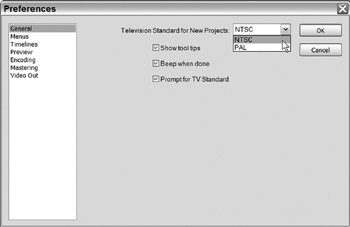
This opens the Preferences settings for new projects. Also Tool Tips and Beep When Done can be turned and off using this window.
To turn the Prompt for TV Standard on or off:
Check the Prompt for TV Standard box.
Click OK.
To change the default TV standard without prompting for a TV standard:
Select NTSC or PAL and leave the Prompt for TV Standard unchecked.
Click OK.


 TABLE OF CONTENTS