Instant Encore 1.5

AC-3 is a Dolby Digital format for Audio. It offers an efficent and economical encoding for multichannel audio content. AC-3 is also the format to which Encore transcodes other audio file formats. If AC-3 Dolby Digital 5.1 content has been prepared in another application for a project, it may be imported directly into Encore and will be preserved "as is" when burned to disc.
| Note | PCM files are similar to .wav files. Both formats use uncompressed audio, however, .wav files must be converted to PCM when the disc is encoded. |
To import AC-3 files:
Right-click in the Project tab.
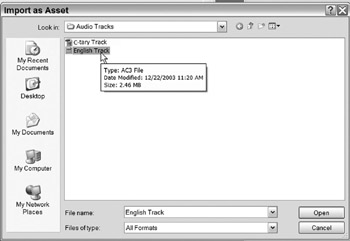
Select Import as Assets.

This opens the Import as Assets File dialog.
Locate and Select the AC-3 audio file(s) for import.
Click Open.
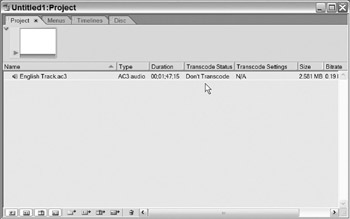
The AC-3 file has now been imported into Encore. Notice that the Transcode Setting for the AC-3 file is set to Don't Transcode.