Introduction to Simulink with Engineering Applicatioins, Second Edition
Chapter 2: The Commonly Used Blocks Library

Overview

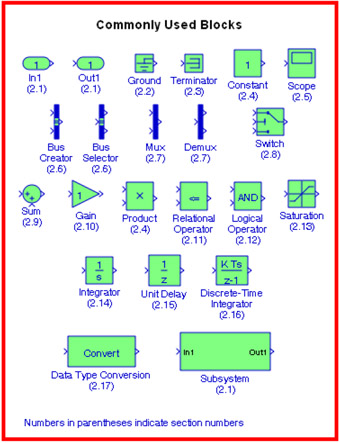
This chapter is an introduction to the Commonly Used Blocks Library. This is the first library in the Simulink group of libraries and contains the blocks shown below. In this chapter, we will describe the function of each block included in this library, and their application will be illustrated with examples.

2.1 The Inport, Outport, and Subsystem Blocks

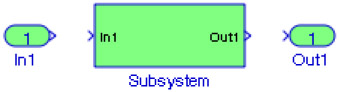
Inport blocks are ports that serve as links from outside a system into the system. Outport blocks serve as links from the system to an outside system. A Subsystem block represents a subsystem of the system that contains it. As our model increases in size and complexity, we can simplify it by grouping blocks into subsystems. As we can see from Example 1.3 in Chapter 1, if we increase the number of the simultaneous equations, this model increases in size and complexity.

To create a subsystem before adding the blocks it will contain, we add a Subsystem block to the model, then we add the blocks that make up the subsystem. If the model already contains the blocks we want to convert to a subsystem, we create the subsystem by grouping the appropriate blocks. A Subsystem block can contain other subsystems.

Example 2.1

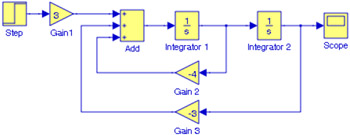
Figure 2.1 shows the model of Example 1.1, Figure 1.12 in Chapter 1. We will create a subsystem by grouping all blocks except the Step and the Scope blocks.


Figure 2.1: Model for Example 2.1

As a first step, we...

UNLIMITED FREE
ACCESS
TO THE WORLD'S BEST IDEAS

SUBMIT
Already a GlobalSpec user? Log in.

This is embarrasing...

An error occurred while processing the form. Please try again in a few minutes.

Customize Your GlobalSpec Experience

Category: DC Blocks
Finish!
Privacy Policy

This is embarrasing...

An error occurred while processing the form. Please try again in a few minutes.