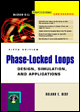
Phase-Locked Loops: Design, Simulation, and Applications, Fifth Edition
A CD is distributed with this book containing a program developed by the author that enables the user to design and simulate PLLs of different kinds. It is very easy to install the program. Just plug it into the CD player and installation will start automatically. If the install program does not start up, start Windows Explorer, click on the D:\ drive (it is assumed that the CD uses drive D) and double click on the SETUP.EXE file in the right pane of Windows Explorer. During installation follow the instructions on screen.
The program can be started now. On start-up it displays a PLL block diagram which defines the symbols used throughout this application. In the toolbar (on top of the screen) there are a number of speedbuttons that look like this:
These buttons are used to call a number of options. Clicking the CONFIG button opens a configuration dialog (Fig. 5.1). This dialog box will be used to specify which category of PLL will be designed (LPLL, DPLL, or ADPLL). Moreover the user will have to tell the program which types of phase detectors, loop filters, etc., will be used in a particular configuration. Hitting the DESIGN speed button starts another dialog, the filter design dialog box (Fig. 5.2). Here the user will have to enter key parameters such as 3-dB bandwidth ( f 3dB) and the like. This dialog box is used to compute the parameters of the loop filter (e.g., time...