AutoCAD 2009 Essentials
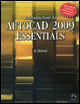
By solving all of the workshops included that complete small projects from concept through actual plotting, this guide will help you simulate the creation of a real life project from beginning to end.
 TABLE OF CONTENTS
 In drafting, the two most important things are precision and speed.
You want to finish your drawing as fast as possible, but you don't want to undermine your drawing's precision.
It is best to learn precision before speed because it is easier to learn to speed up the creation process than it is to improve accuracy. In this chapter we will tackle many commands, but drafting with precision is most important.
The Line command is used to draw segments of straight lines.
There are many methods available to draw precise shapes using the Line command (which we will learn later), but for now, we will type the coordinates in the Command Window.
 On the Ribbon, make sure you are at the Home tab. Using the Draw panel, click the Line button.
The following prompts will appear:
<span class="beginpage"> pagenum="20"><a name="52"></a><a name="page20"></a></span>Specify first point: (type in the coordinate of the first point)Specify next point or [Undo]: (type in the coordinate of the second point)Specify next point or [Undo]: (type in the coordinate of the third point)Specify next point or [Close/Undo]: (type in the coordinateof the fourth point)
| Notes |
|