AutoCAD 2009 Essentials
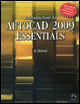
By solving all of the workshops included that complete small projects from concept through actual plotting, this guide will help you simulate the creation of a real life project from beginning to end.
 TABLE OF CONTENTS
 These commands are used to:
Identify a point coordinate.
Measure the distance between two points.
Calculate the area between points or of an object.
List information about an object.
All of these commands are accessible from the Ribbon. Make sure you are at the Tools tab and using the Inquiry panel.
This command is used to locate the coordinate of a point.
 Click the ID Point button.
AutoCAD will display the following prompt:
Specify point:
Click on the desired point, and AutoCAD will display something like:
X = 21.0000 Y = 11.5000 Z = 0.0000
This command is used to measure the distance between two points.
 Click the Distance button.
AutoCAD will display the following prompt:
Specify first point:Specify second point:
Click on the two points desired, and AutoCAD will display something like:
Distance = 10.0000, Angle in XY Plane = 0, Angle from XYPlane = 0Delta X = 10.0000, Delta Y = 0.0000, Delta Z = 0.0000
This command is used to calculate the area between points or of an object.
You can calculate area for:
Points, assuming there are lines connecting them.
Objects such as circles or poly lines (closed or open).
You can calculate two types of areas:
Simple area (single area).
Complex area (areas inside areas, and you want the net area).
If you start the Area command and specify the...