AutoCAD 2009 Essentials
By solving all of the workshops included that complete small projects from concept through actual plotting, this guide will help you simulate the creation of a real life project from beginning to end.
 TABLE OF CONTENTS
 Sometimes you need a dimension style identical to almost all types of dimensions except for Diameter.
In this case, we create a dimension style for all types (we call Parent), and then we create a child dimension style from it.
Take the following steps:
Create your parent dimension style.
Select it from the list in the dimension style dialog box.
Click the New button to create a new style.
The following dialog box will appear:
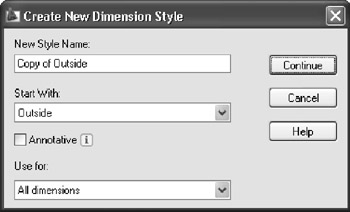
For Use for select Radius (for example) and the dialog box will change to:
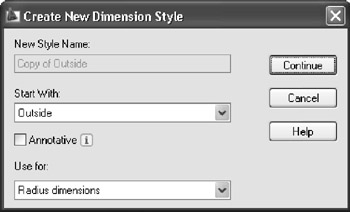
Now click Continue and make the changes you want. These changes will affect only the Radius dimensions.
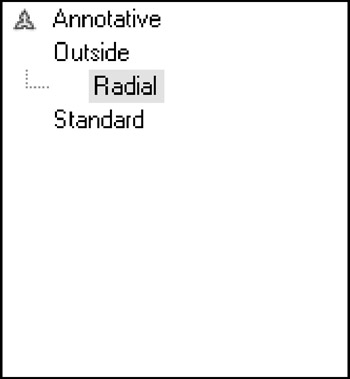
In the Dimension Style dialog box you will see something like: