The Focal Easy Guide to Adobe Audition 2.0

Chapter 1: Set Up

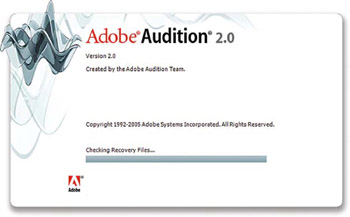
Loading Adobe Audition 2.0

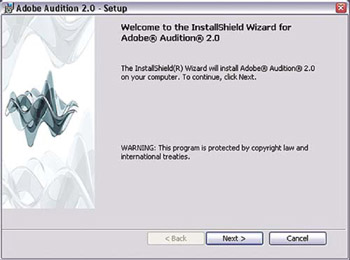
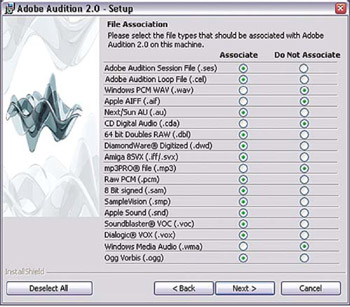
Installing Adobe Audition 2.0 on Windows XP is a straightforward procedure: simply insert the CD and follow the prompts. You will be prompted to associate file types that will enable your computer to launch Audition to play them instead of another application, such as Windows Media Player. If there is any specific file types you don't want Audition to open, then deselect them; otherwise press OK.

Note

If you have the Adobe Production Studio Premium edition software, which includes Audition 2.0, Premier Pro 2, After FX 7, Encore 2, Photoshop CS2 and Illustrator CS2, the one serial number supplied will load the whole collection. Or you can select individual components of the production studio collection (Audition 2.0 + Functional content) to load on your system.

Project Setup

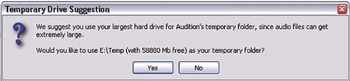
Adobe Audition 2.0 will prompt you to set temporary folders on your drive to use. As Audition is dealing heavily with audio, it is best to use a separate drive if available for overall efficiency. When ready, go ahead and press OK and Audition 2 will open.

Setting Up the Device Hardware

Audition 2.0 now supports ASIO compatible sound cards for optimised low latency performance and audio scrubbing. It also works with any Windows-compatible soundcard, although latency performance will be reduced. Inputs and outputs for Edit View, Multitrack and Surround Encoder View are set from this window. Depending on the physical layout of your soundcard, different input and output port configurations can be set for each of the...

UNLIMITED FREE
ACCESS
TO THE WORLD'S BEST IDEAS

SUBMIT
Already a GlobalSpec user? Log in.

This is embarrasing...

An error occurred while processing the form. Please try again in a few minutes.

Customize Your GlobalSpec Experience

Category: Digital Asset Management Software
Finish!
Privacy Policy

This is embarrasing...

An error occurred while processing the form. Please try again in a few minutes.