The Focal Easy Guide to Adobe Audition 2.0

Importing Files into the Multitrack View

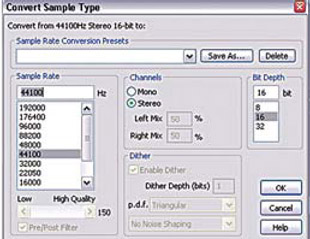
Similar to importing files into the Edit View choose file>import. Imported files are displayed within the files panel of the Multitrack View. When dragging files from the files panel into the main panel you may be asked to convert the sample type if the file format of the audio file is different to the overall Multitrack settings. Set Bit Depth and Channel then press OK.

UNLIMITED FREE
ACCESS
TO THE WORLD'S BEST IDEAS

SUBMIT
Already a GlobalSpec user? Log in.

This is embarrasing...

An error occurred while processing the form. Please try again in a few minutes.

Customize Your GlobalSpec Experience

Category: Video and Audio Software
Finish!
Privacy Policy

This is embarrasing...

An error occurred while processing the form. Please try again in a few minutes.