Planning & Scheduling Using Primavera Version 5.0 for Engineering & Construction: Planning and Progressing a Single Project Schedule With and Without Resources In An Established Project Environment

This chapter will look at the following topics:
User Preferences,
The Admin menu items,
Admin Preferences, a multi tab form under the Admin menu, and
Advanced Scheduling Options.
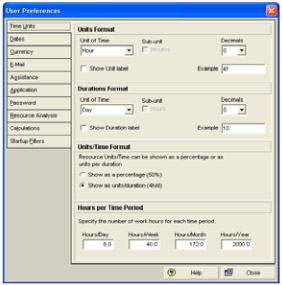
Select Edit, User Preferences to open the User Preferences form. This form is used to set up a number of user-defined parameters, which will determine how data is displayed.
The User Preferences form may also be opened by right clicking in the right hand side of the bottom views when the Resource Usage Spread Sheet or Resource Usage Profile are being displayed.

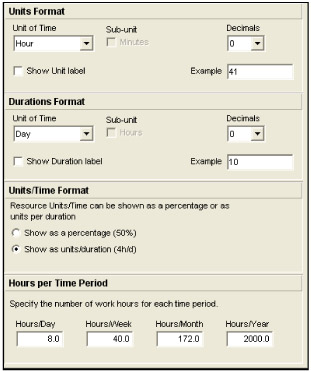
The Units Format section of the tab is used to define the format of the Unit of Time that resource assignments are displayed with, e.g. days or hours.
The Durations Format section of the tab is used to define the format of the Unit of Time that activity durations are displayed with, e.g. days or hours.
The Units/Time Format section of the form allows for the Microsoft Project-type formatting options of Resource/Time Format to show Resource utilization as a percentage (50%) or as units per duration (4h/d).

The Hours per Time Period is an option new to Primavera Version 5.0 and allows the user when assigned the rights to specify how summary durations are calculated. The default setting and the option to allow users to set their own Hours per Time Period are set in the Admin