Planning & Scheduling Using Primavera Version 5.0 for Engineering & Construction: Planning and Progressing a Single Project Schedule With and Without Resources In An Established Project Environment

Select Edit, User Preferences to open the User Preferences form:
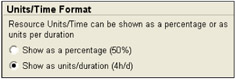
Select the Time Units tab. The Units/Time Format allows Microsoft Project style formatting of Resource/Time Format showing Resource utilization as a percentage or as units per duration.

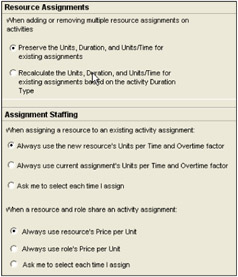
The Ca lculations tab has two resource Assignment options:
Preserve the Units, Duration, and Units/Time for existing assignments. With this option as Resources are added or deleted the total number of hours assigned to an activity increases or decreases. Each Resource's hours are calculated independently.
Recalculate the Units, Duration, and Units/Time for existing assignments based on the activity Duration Type. The total number of hours assigned to an activity will stay constant as second and subsequent resources are added or removed from an activity. Note: This function does not work when the Activity Type is Fixed Duration and Units/Time.

| Tip | This is similar to making a Task Effort Driven in Microsoft Project. There is no similar function in P3 and SureTrak. |
The Assignment Staffing option needs to be considered carefully otherwise when assigning Resources to Roles and replacing resources the incorrect Unit Rate may be assigned.