The Focal Easy Guide to Final Cut Pro 5: For New Users and Professionals
Paring down the software to its essentials, this concise, full-color book covers only the key features and essential workflow to get you up and running in no time.
 TABLE OF CONTENTS
 Final Cut Pro allows you to work with up to 99 layers of video and audio tracks. The default setup is a single video track and four audio tracks.
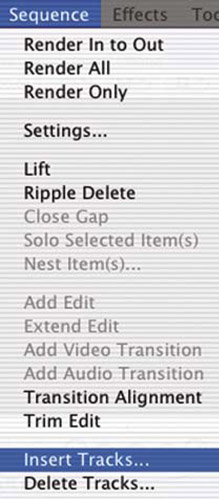
There are two ways to add or delete video and audio tracks to your project.
Select the Sequence menu and scroll down to either Insert Tracks or Delete Tracks.
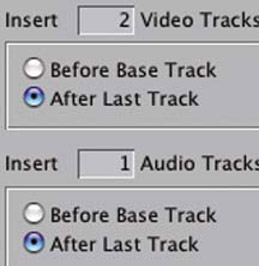
A menu will appear giving you the option to choose the number and type of tracks you wish to add or delete. You need to specify where these tracks are to appear in the Timeline by clicking the button options.
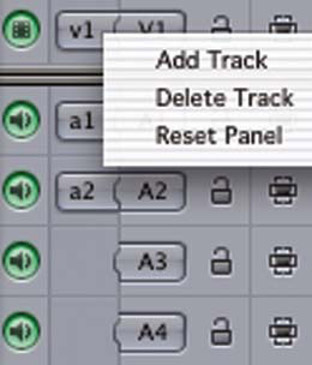
An alternative and easier method is to Control click in the gray area to the left of any of the tracks which already exist. A menu will open giving you the choice to either add or delete a track. You can Control click above, below or to the left of the tracks in the Timeline to open up the contextual menu which allows you to add or delete tracks.