The Object Browser
One of the best tools to work with Object Models is the Object Browser.
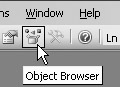
Click on the Object Browser toolbar button to display the Object Browser. The Object Browser can also be displayed by using the VBA menu View > Object Browser or by pressing the key on the keyboard.
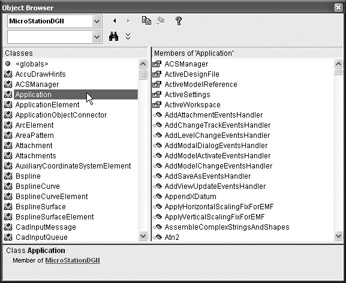
The Object Browser has two combo boxes at the top. The top-most combo box allows us to narrow the classes to a specific Library. In the image above, the MicroStationDGN Library has been selected. The only classes now shown belong to the MicroStationDGN Library.
When we select "Application" in the Classes ListBox, the "Members of 'Application'" show up in the MembersListBox. The MembersListBox displays theProperties, Methods, andEvents of the selected Class.
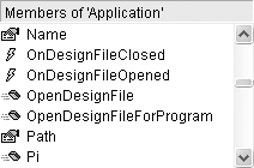
Three primary member types are shown in the Members ListBox.
First are Properties. "Name" and "Path" are properties of the Application Object.
Methods "OpenDesignFile", "OpenDesignFileForProgram" and "Pi" belong to the Application Object.
Events "OnDesignFileClosed" and "OnDesignFileOpened" also belong to the Application Object.
When we select a member in the list, we are shown the Declaration for the selected...


 TABLE OF CONTENTS