Learning MicroStation VBA

On the surface, it appears as though VBA, VB6, and VB.NET are identical. They each bear, in part, the title "Visual Basic" and make use of the same "Visual Basic" basics. And yes, they are very similar. But there are also differences between them. VBA and VB6 have much more in common than VB.NET. The differences between them (VBA and VB6) and VB.NET can be quite significant, depending on which 'area' we are considering. When Microsoft introduced the VB.NET environment in 2003, one of the aims was to make Visual Basic much more Object-Oriented. This is one of the primary differences between VB.NET and VBA or VB6.
This chapter deals with not only controlling MicroStation in VB.NET applications but also concentrates on the differences between these environments so we can become more proficient in the VB.NET environment and language. We will be using Visual Studio 2005 for our discussion.
Let's take a look at the VB.NET environment. The first thing we should get out into the open is the fact that whereas VB6 is an Application and VC++ is its own Application, the .NET environment is used for developing Applications in VB, C# (pronounced C Sharp), J#, etc.
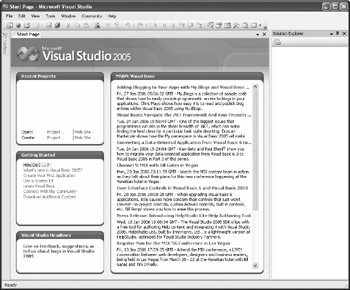
From the Start Page of Visual Studio 2005, we can create or open new Projects. In addition to the ability to create new projects and open existing ones, we can see the RSS feed from Microsoft's MSDN Visual Basic homepage.