Planning Using Primavera: Suretrak Project Manager Version 3.0
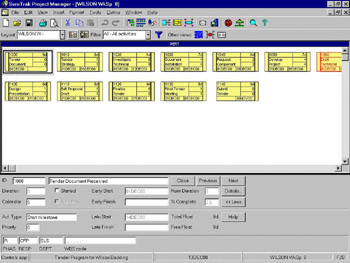
The last method is to use PERT (Project Evaluation and Review Technique) view. This is a non-time phased view of the activities. Select View, PERT or press F6. The screen will change from Bar Chart view to PERT view.

Position the mouse on the left (for start) or right (for finish) end of the predecessor activity, waiting for the cursor to change to a
and drag (by holding the left mouse button down) the cursor to the left or right of the successor activity.
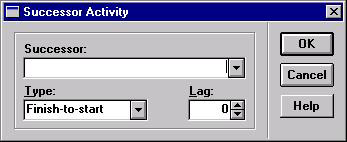
If the activity is not visible release the mouse in a blank area and choose the successor using the Successor Activity form.

Select the required successor activity from the drop-down box.
To change the relationship or alter the lag of an existing relationship, move the mouse over the relationship line and then left mouse click to display the Edit Relationships form.

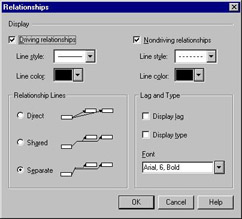
Select Format, Relationship Lines to open the Relationships form as the first step in tailoring the PERT view.

This allows you to choose to:
Display/not display the driving and Non-driving relationships
Change the color and line style
Change to style of drawing the relationship lines
Display the lag and relationship type in the font of your choice
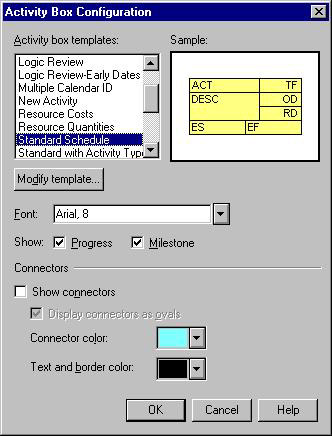
Select Format, Activity Box Configuration as the next step in tailoring the PERT view.

This allows you to:
Select/modify...