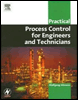
Practical Process Control for Engineers and Technicians
Make the working directory the same as the one where the process control software has been installed. To do so, use the DOS command for changing directory (CD directory name). Type MENU and a menu, showing available training applications will appear. Then, use the cursor keys on your keyboard to move the cursor to the training application you want to select. Press Enter and the exercise which has been selected, will come up.
Open the folder called CONTROL. Select and open the training application you want to run.
All training applications are configured with correct tuning constants and are ready for operation. The process simulation of each training application is configured with process disturbance process noise. The gain for disturbance is originally set to 0 and may be changed by the student in order to add more realism into the process simulations. A value of 1 is recommended for K-DIST (gain of process disturbance).
The magnitude of disturbances can be changed to challenge the operational skills of the operating student. The disturbances will create realistic situations, where operator interventions on outputs and limits are necessary to avoid loss of control. In addition, the value of the process disturbance DISTURB can be changed by the student directly. This permits the simulation of step functions of the process disturbance.
In a level control system, a flow controller controls the inlet flow into a container. The outlet flow...