Mastering Autodesk VIZ 2005

The term scene in VIZ refers to your model files. In this chapter, you'll look at ways that you can access and utilize your scenes while developing your renderings and animations. VIZ offers a variety of ways that can help you improve your workflow. You can divide a file into smaller pieces and recombine them while keeping those pieces unique. This can help you manage large scenes that require the work of several people. Other tools let you quickly update objects in your scene or perform what-if scenarios to try out different options.
In this chapter, you'll experiment with different ways of bringing in some additional furniture from the companion CD. In the process, you'll lean about the different ways that you can combine and access your scenes.
In this section, you'll be working with groups as you did in Chapter 2. You'll also use a tool called an XRef to transfer the modified fabric material from the Mybigchair.max file to the MyCouch.max file.
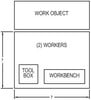
XRefs are a way to include other VIZ files in your scenes without having to actually combine file data into a single file. For example, you may want to create a file that contains the furniture arrangement for an office, but you want to keep that furniture data separate from the actual office design file. You can XRef the office design into your furniture file...