Rendering with MicroStation
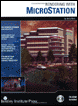
Through illustrations and hands-on exercises, this book covers every aspect of rendering in detail, including cameras, materials, lighting, environment maps, and rendering settings.
 TABLE OF CONTENTS
 Gamma correction is used to compensate for the fact that monitors and printers don't have the same visual response as the human eye, and serves to bring out more detail in darker areas of images. Typically, the gamma correction for a standard monitor (CRT) should be set to 1.8 to 2.5, while for an LCD display, it can be left at 1.0. In MicroStation, you can set the gamma correction value for your display in the View Options category of the Preferences dialog box (select Workspace > Preferences). An exact figure is not critical, but a good starting value to experiment with is 2.0.
Similarly, when you save an image from MicroStation, you have the option of applying gamma correction to it. This may be to accommodate a printer to produce hard-copy output that more closely represents what is seen on the screen. As a rule, to avoid "tying" your image to one particular display/printing device, it is better to save images with a neutral gamma value (1.0) and let other software, or printing device software, that you use add the gamma correction that they require. Each display/printing device can have different characteristics such that the correct gamma correction for one device may not be correct for another. Once gamma correction has been saved with an image, changing the gamma value will not let you return the image exactly to its original state (with gamma correction of 1.0).
Typically, printers tend to darken images more...