Rendering with MicroStation
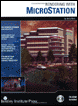
Through illustrations and hands-on exercises, this book covers every aspect of rendering in detail, including cameras, materials, lighting, environment maps, and rendering settings.
 TABLE OF CONTENTS
 MicroStation's rendering capabilities let you create photorealistic images of your designs. To create these images, elements in your models need to have materials applied to them such that, when rendered, they take on the appearance of the real-life object rather than just the color of the design element.
Material definitions and assignments in MicroStation rely on two types of files:
Palette (.pal) file where material definitions are stored.
Material (.mat) file material allocation table that references the palette files and records the assignments by level/color.
Both palette and material files are ASCII text files. Typically, each DGN file will have one material (.mat) file, which will reference one or more palette (.pal) files. This lets you store similar materials in separate palette files. For example, all your glass definitions can be stored in a single palette file, all your floor definitions in another, and so on.
In previous chapters, you worked with DGN files and models that already were set up to render. They were set up with both palette and material files, containing the material assignment information. In addition, each model already had custom materials assigned or attached to the geometry.
When you render a 3D scene in MicroStation without a material file, the surfaces are rendered using the element color. The currently attached color table is used when a material file is not present. You can customize the color table, which consists of 255...