Rendering with MicroStation
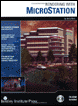
Through illustrations and hands-on exercises, this book covers every aspect of rendering in detail, including cameras, materials, lighting, environment maps, and rendering settings.
 TABLE OF CONTENTS
 Renderings of exterior models are affected by several factors, including the choice of materials and the lighting settings, both Global Lighting and Source Lighting. Even an outstanding model can look dull if it is poorly illuminated. This chapter shows you how to set up lighting for both day and nighttime renderings.
In addition to lighting, you will use fog and depth cueing as both of these rendering view attributes can add a great deal of realism to your exterior renderings.
For exterior renderings to look photorealistic, you will want to include images of the sky. You can do this by adding a background image, using a sky cylinder, or using environment maps in conjunction with a sky box. These techniques are presented in this chapter.
Using solar lighting alone can provide good lighting for those surfaces that are directly illuminated by solar light, but it also can leave the shadowed areas much too dark. To solve this problem, you could use the particle tracing or radiosity routines to obtain a more complete lighting solution for your model. These rendering modes take into account the light reflected by the surfaces in the model and thereby illuminate the shadow areas with indirect lighting.
While either of these routines can provide the most realistic results, they require much more computational time to complete a rendering. Instead of using these more complex rendering modes, you will first learn how to effectively illuminate exterior scenes, generating excellent results, using the ray...