Rendering with MicroStation
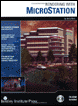
Through illustrations and hands-on exercises, this book covers every aspect of rendering in detail, including cameras, materials, lighting, environment maps, and rendering settings.
 TABLE OF CONTENTS
 This next set of rendering modes are commonly known as shaded image renderers. Instead of simply removing the hidden lines, these rendering methods apply a more realistic variable shading to each element. The amount of shading and its final appearance depends on the type of shaded rendering you choose.
Although the newer ray trace rendering technologies have overshadowed these older shading techniques, there still may be times that you will find a use for them. For instance, if you are using an OpenGL enabled video system, the graphic acceleration can handle only those rendering modes up through Smooth (Gouraud shading).
In the following exercise, you will contrast the different shaded rendering methods and their effect on the final image quality. The model used in the exercise already has materials assigned to the elements. Later, you will learn about materials and how to create them and apply them. For now, we will concentrate on the rendering modes.
Open DGN file ring.dgn.
The model displays six views, five of which are identical.
 Select the Render tool, with the following tool setting:
Render Mode: Constant
Enter a data point in View 1.
The view updates with an image generated using the Constant rendering method.
With constant shading, surfaces are displayed as one or more polygons. Each polygon is filled with a single constant color. The color for each polygon is determined by the material...