Rendering with MicroStation
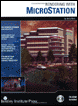
Through illustrations and hands-on exercises, this book covers every aspect of rendering in detail, including cameras, materials, lighting, environment maps, and rendering settings.
 TABLE OF CONTENTS
 When you create an image using ray tracing alone, additional source lights often are required to effectively illuminate the various surfaces in the 3D scene. This is to account for the fact that the Ray Tracer does not calculate the light reflected or absorbed by the materials used in a model. Ray tracing requires you to add lights that would not be required in real life.
When you use either of the global illumination methods, radiosity or particle tracing, you create a lighting solution for the model. That is, the reflection and absorption of light is calculated. These two methods, though similar in their results, differ greatly in their approach to solving the lighting for a 3D scene. In this chapter, you will learn how the two differ and what steps you must take to set them up to render a realistic and accurate lighting solution.
Radiosity, as defined in the literature of physics, is the total power leaving a point on a surface, per unit area on the surface. In the context of rendering, power is light energy.
Radiosity solving is a sophisticated technique that calculates the light that is reflected between diffuse surfaces. It can be used to demonstrate effects such as color bleeding (where one colored surface lends a tint to another nearby surface) and light dispersion (the reflection of indirect light onto other surfaces in a scene). Radiosity does not distribute specular light, and thus it does not produce caustics. To display specular highlights...