Dynamic Scheduling With Microsoft Office Project 2003: The Book by and for Professionals


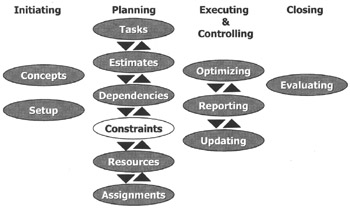
The Gantt Chart is starting to take shape, and there may be certain constraint dates that we may have to add to the model to make it stay within the boundaries of our reality. Also, we may want to capture deadline date. Constraints, deadlines and task calendars are the topics of this chapter; they are all features that capture specific dates.
After reading this chapter you will:
know the difference between constraints and deadlines
know the different types of schedule constraints
know in which situations to use constraints and deadlines
be able to choose the right type of constraint
be able to enter schedule constraints and deadlines into the project model
know the advantages and disadvantages of using constraints
know the advantages and disadvantages of using deadlines
be able to recognize when task calendars are better than constraints
be able to create a task calendar and restrict the scheduling of a task with it
be able to check if we used scheduling best practices with regards to deadlines, constraints and task calendars
know how to format and print the Gantt Chart view

Bob: "Hey Nob, did you hear about this feature of deadlines in MS Project? It is a beautiful feature! I can put all the dates that I committed to into my schedule and my schedule still floats back and forth freely. And when a deadline date is not met, a red flag appears."
Nob responds: "Why would you want your schedule to float...