Dynamic Scheduling With Microsoft Office Project 2003: The Book by and for Professionals


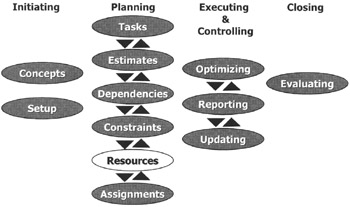
With the tasks, estimates, dependencies, constraints (and deadlines) entered, we now have a Gantt Chart that is a dynamic model of the project. You could stop here if resources, their workloads and their costs are of little concern to you. If they are important in your schedule, you may have to add them to the model and assign them to tasks. The result is called a resource-loaded schedule.
After reading this chapter you will:
know what resources are and when to add a resource to the project model
know the different types of resources: human, facilities, machines and materials
be aware of important resource-related fields
be able to efficiently enter the resources into the schedule using the enterprise resource pool, download resources from your address book, or manual data entry
know to use generic resources if you don't know who will be on your team
know how to enter the different types of resource availability
be able to create resource calendars
know the cost management features of MS Project
be able to check the list of resources against scheduling best practices
know how to create a resource report

Joe is the sales representative for the company Bob works for. Joe deals with the clients, and when a contract is closed, he typically introduces Bob to the client as the project manager. Bob looks after the creation and delivery of the project product.
Joe enters Bob's office in a whirlwind of enthusiasm. "Hey, Bob, I...