Accessing Autodesk Architectural Desktop 2007
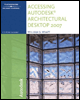
Written for all levels, this book offers engaging, step-by-step tutorials and projects that clearly demonstrate and reinforce the real-world application of Autodesk Architectural Desktop (ADT) tools.
 TABLE OF CONTENTS
 This chapter introduces the commands to draw and modify walls using the Standard wall style. The focus of this chapter is the placement of the Standard wall and the tools available for precise placement of walls for the creation of a floor plan. Options of the WallAdd command and how to use properties for editing will be explained. The tools to edit walls with precision such as Justification, WallOffsetCopy, WallOffsetMove, Offset Set From, Cleanup L, Cleanup T, grips and editing wall defect markers will be presented.
After completing this chapter, you will be able to
Draw straight or curved walls using the WallAdd command and Properties palette
Use the Close and Ortho Close options to close a polygon shape
Identify the function of the wall grips
Set the cleanup radius to avoid wall error markers and display of graph lines
Use the WallOffsetCopy, WallOffsetMove and Offset Set From commands for adding walls
Merge walls with Join and Wall Merge commands
Reverse the direction of a wall using the Reverse command
Use Add Selected to execute the WallAdd command
The Dynamic Input toggled DYN located on the Application status bar turns on the ability to view dynamic dimensions and respond to the command prompts in the workspace. Selected features of Dynamic Input will be applied throughout this text. Dynamic Input consists of pointer input, dimensional input and dynamic prompts.