Accessing Autodesk Architectural Desktop 2007
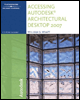
Written for all levels, this book offers engaging, step-by-step tutorials and projects that clearly demonstrate and reinforce the real-world application of Autodesk Architectural Desktop (ADT) tools.
 TABLE OF CONTENTS
 After completing this chapter, you will be able to
Place AEC Dimensions, text and leaders from the Annotation palette.
Create revision clouds using various styles of revision clouds.
Create tags for doors, windows, rooms and walls.
Create AEC Space objects for room and place finish tags.
Create door and window schedules using tags and schedule styles.
Apply Display Themes to a drawing.