Accessing Autodesk Architectural Desktop 2007
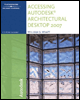
Written for all levels, this book offers engaging, step-by-step tutorials and projects that clearly demonstrate and reinforce the real-world application of Autodesk Architectural Desktop (ADT) tools.
 TABLE OF CONTENTS
 During the development of a floor plan, stairs must be inserted to determine the required space for the stairwell. This chapter will explain how to insert straight, U-shaped, multi-landing and spiral stairs. When you place a stair, the design rules of a stair style automatically calculate the riser dimension, number of risers, size of tread and the straight length. The style of the stair can control the landing extensions and landing size. The application of railings to the stairs and platforms will be presented in this chapter. Railing styles allow you to create guardrails appropriate for decks or railings, with custom shapes for interior stair applications.
After completing this chapter, you will be able to
Use the Stair command ( StairAdd) to create Straight, Multi-landing, U-shaped, U-shaped Winder and Spiral stairs.
Create a stair tower in a project and a custom stair.
Constrain the number of risers, tread size, riser size and run of a stair using Calculation Rules.
Edit the style, shape, turn type, width, height and justification to create stairs.
Identify the purpose of grips located on various stair shapes.
Create, edit, import and export stair and railing styles using the Style Manager or Content Browser.
Control the visibility of the lower or upper portions of stairs using the display properties.
Modify the stair edge with the following Customize Edge options: Offset, Project, Remove Customization and Generate Polyline.
Anchor an isolated stair to a stair landing and anchor a railing...