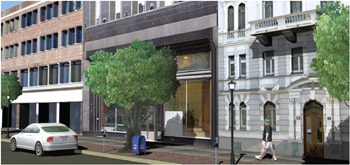
How to Cheat in 3ds Max 2009: Get Spectacular Results Fast

People, Trees, and Cars

Extra scene elements like people, trees, and cars are time-consuming to create as models.

You can save a lot of time by creating these extra elements as textures and mapping each one onto a plane. For a more three-dimensional look, you can also model a simple low-polygon object, and let the textures do most of the work.
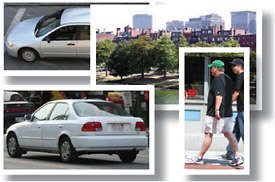
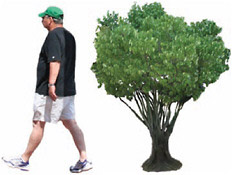
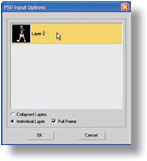
Figure 1: Get together a few pictures of elements you want to use in the scene. Action poses work best for people, such as walking or sitting, rather than just standing there. For cars, get side and top photos, and back or front views as needed.

Figure 2: In Photoshop, paste the image onto a transparent layer, and erase the background. The Quick Selection tool can help with large areas, but you ll need to do some custom cleanup around the edges. Save each image as a PSD file.

Figure 3: In 3ds Max, create a material with the PSD file as the Diffuse map. In the PSD Input Options dialog, choose the Individual Layer option and select the single layer. This ensures that the background area will be transparent. In the Bitmap Parameters rollout, make sure Alpha Source is set to None.

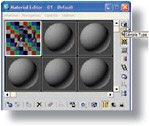
Figure 4: In the Maps rollout, drag the map from the Diffuse slot to Opacity slot as a Copy. Click the map in the Opacity slot, and set Mono Channel Output to Alpha. Change the Sample Type to a cube and turn on the Background option to...

UNLIMITED FREE
ACCESS
TO THE WORLD'S BEST IDEAS

SUBMIT
Already a GlobalSpec user? Log in.

This is embarrasing...

An error occurred while processing the form. Please try again in a few minutes.

Customize Your GlobalSpec Experience

Category: Optical Triangulation Position Sensors
Finish!
Privacy Policy

This is embarrasing...

An error occurred while processing the form. Please try again in a few minutes.