How to Cheat in 3ds Max 2009: Get Spectacular Results Fast

Procedurally Speaking

Procedural maps use algorithms (a series of equations) to generate an individual color pattern. You change the pattern not by painting pixels, but by adjusting parameters.

Although 3ds Max comes with many procedural maps, I use the Noise map and Gradient Ramp map more than all the others combined. With the examples here, it s easy to see why.
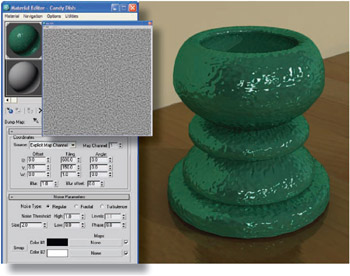
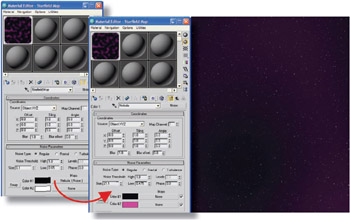
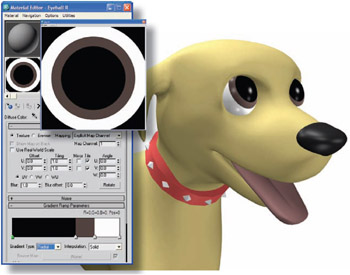
Figure 1: The Noise map makes a random pattern of black and white blobs. This type of map makes a great Bump map to give an object a bit of texture. Change the Source to Explicit Map Channel and turn on Show Standard Map in Viewport to see how the map lies on the object. A Bump map only shows up on a somewhat shiny material, so be sure to turn up the Glossiness and/or Specular Level to see the bumps in the rendering.

Figure 2: The Noise map, like many maps, can be nested. In other words, the black or white channels in a Noise map can lead to another Noise map, or any map for that matter. Here, a Noise map is used as a background. The Size parameter is turned down low and the Noise Threshold: Low value is increased to reduce the amount of white. This produces a field of white stars on a black background. Then the black channel holds another Noise map made up of larger blobs of dark blue and purple, creating a rich background for a space scene.

Figure 3: The Gradient...

UNLIMITED FREE
ACCESS
TO THE WORLD'S BEST IDEAS

SUBMIT
Already a GlobalSpec user? Log in.

This is embarrasing...

An error occurred while processing the form. Please try again in a few minutes.

Customize Your GlobalSpec Experience

Category: LiDAR Sensors
Finish!
Privacy Policy

This is embarrasing...

An error occurred while processing the form. Please try again in a few minutes.