How to Cheat in 3ds Max 2009: Get Spectacular Results Fast

Including a host of time-saving techniques as well as little-known tools that will make you look like an expert in no time flat, this book will show you how to get results with 3ds max fast.
 TABLE OF CONTENTS
3ds Max has some of the best character animation tools available for PC-based software. A little bit of work can go a long way toward bringing your models to life.
Animation of characters is one of the primary uses for 3ds Max in the fields of games and broadcast. While this primer won t teach you everything you need to know to be a character animator, it can get you started with the main tool: the Biped.
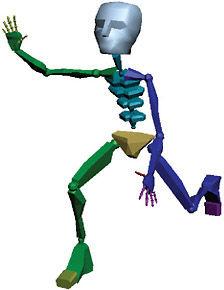
The Biped is a two-legged skeletal structure with its own animation tools built into it. While entire books have been written about the use of the Biped in character animation, this chapter will give you the basics for common animation needs.
In this chapter you ll also find a few additional tools for character animation that will give you results with a minimum of time and effort.
So you ve heard about the Biped skeleton and what it can do. How do you get started? The overview here will give you the basic workflow, then you can use the topics that follow to kick-start your own Biped animation.