How to Cheat in 3ds Max 2009: Get Spectacular Results Fast

Chapter 7: Animation

  • Learning a few animation tricks of the trade will make it possible for you to animate scenes quickly and effectively.

Animation is where the real fun comes in with 3ds Max. You can fly through or around your model, or make objects whiz by. You can even animate materials and modifiers.

In this chapter, you ll learn how to utilize 3ds Max s powerful animation toolset to animate your scene in a minimum of time.

Animation 101

Keyframe animation is the easiest type to do with 3ds Max. Use this primer to learn the basic tools and start animating your scene right away.
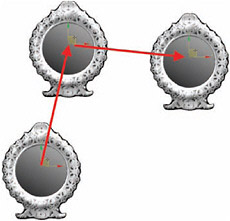
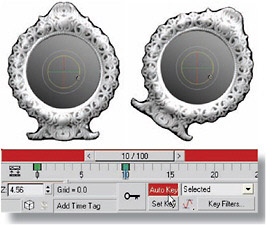
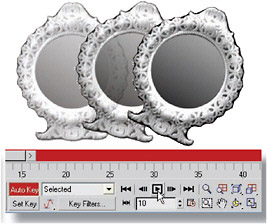
Figure 1: A keyframe is a major point that the animation passes through. You don t animate every frame in 3ds Max; you just place the object at key points along the way, and 3ds Max figures out what to do in between.

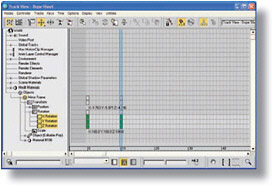
Figure 2: To create keyframes, turn on Auto Key at the bottom of the screen. Pull the time slider to go to a frame later than 0, and move or rotate the object. This sets a key at that frame, and also at frame 0 if a key is not already present.

Figure 3: Move to other frames and transform the object again to set more keyframes. You can instantly see the results of your keyframing by pressing Play Animation at the lower right of the screen. Press the same button to stop playback.

Figure 4: While the time line shows you the keyframes for the...

UNLIMITED FREE
ACCESS
TO THE WORLD'S BEST IDEAS

SUBMIT
Already a GlobalSpec user? Log in.

This is embarrasing...

An error occurred while processing the form. Please try again in a few minutes.

Customize Your GlobalSpec Experience

Category: Metering Pumps
Finish!
Privacy Policy

This is embarrasing...

An error occurred while processing the form. Please try again in a few minutes.