How to Cheat in 3ds Max 2009: Get Spectacular Results Fast

Including a host of time-saving techniques as well as little-known tools that will make you look like an expert in no time flat, this book will show you how to get results with 3ds max fast.
 TABLE OF CONTENTS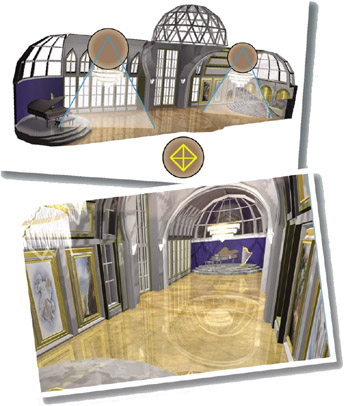
Simple lighting is usually the best. A few lights placed at actual light sources, plus an extra fill light or two, is usually all you need.
The most common questions I get from 3ds Max users are about lighting--where to begin, how to fix it when it isn t right. While specialized lighting is a field of its own, the majority of projects call for simple lighting that follows basic principles borrowed from photography.
Lighting in 3D software doesn t follow exactly the same rules as lighting in real life, so you have to find ways to make it fake the real world.
With this chapter and the Shadows chapter that follows, you ll be able to light your scenes quickly and confidently without falling into common traps.
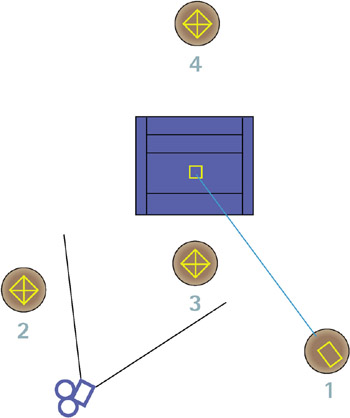
For general lighting, a three-point system provides general illumination without washing out your scene. An optional back light can also be used to fill in additional areas.
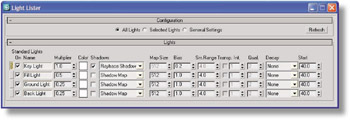
A light s intensity is set by its Multiplier value in the Intensity/Color/Attenuation rollout. You can also change it in the Light Lister dialog, available from the Tools menu.
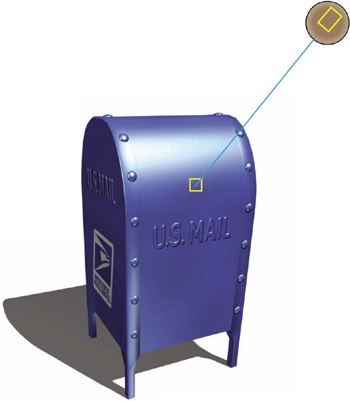
Use the top view of this classic lighting setup (shown at left) and angled view (shown on the right) to guide you in placing lights.