Exercise Workbook for Advanced AutoCAD 2007
After completing this lesson, you will be able to:
Create a multiple view plot setup
Control the hidden line display for plotting
Shade one of the views
Dimension a multiple view display
Hollow the inside out of a solid
AutoCAD has many commands to create a multiview layout, such as SOLVIEW, SOLDRAW, SOFPROF and DXB plot. You may consider researching these, but in this lesson I will show you 5 quick and simple steps to develop a multiview layout to use for plotting.
STEP 1. SELECTING THE PLOTTER / PRINTER AND PAPER SIZE.
Change to your 2D Workspace.
Open a solid model drawing. (Example: 2007-3D demo.dwg)
Select an unused Layout tab. (If all Layout tabs have been used, create a new Layout tab.)
Create a new Page Setup named Multiview . (Refer to page 3-7)
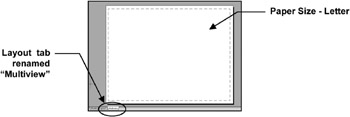
Select your printer , Plot Style Monochrome and Paper Size-Letter .
Close and Set Current the Multiview page setup and Close again.(Refer to pg 3-8)
Rename the Layout tab to Multiview . (Refer to page 3-9.)

STEP 2. CREATE VIEWPORTS
Make the VP layer current.
Select VIEW / VIEWPORTS / NEW VIEWPORTS

Select FOUR EQUAL
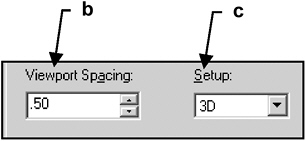
Set Viewport Spacing to: .50
Set Setup...