Learning Mastercam X2 Mill 2D Step by Step
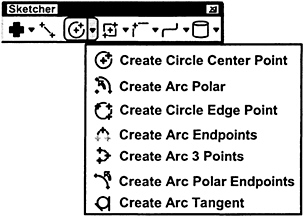
On the CD The functions for constructing arcs(including circles) via Mastercam X2 are considered in this section

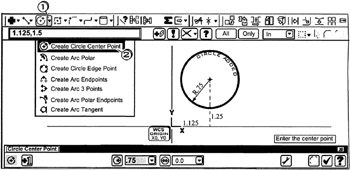
A circle is created by entering its radius and center point values

Click
the circle down arrow ![]()
Click
![]()
Enter the center point
Enter ![]()
Tap the
key for Radius
Enter ![]()
Press
to cancel the function
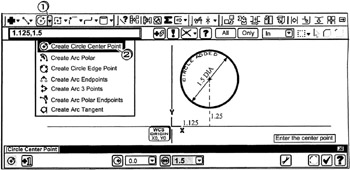
A circle is created by entering its diameter and center point values

Click
the circle down arrow ![]()
Click
![]()
Enter the center point
Enter ![]()
Tap the
key for Diameter
Enter ![]()
Press
to cancel the function
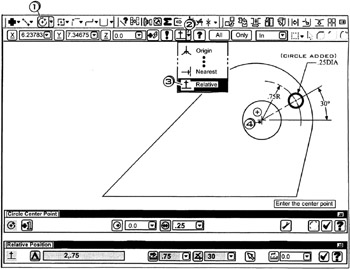
A circle is created by entering its diameter. Its center point value is entered relative to an existing entity

Click
the circle center point button ![]()
Enter the center point
Click
the down arrow ![]()
Click
![]()
Be sure Autocursor is set to ![]()
Click
near the center of the circle
. Move the cursor into the ribbon bar on the distance icon
and hold i t there..
Tap the
key for Distance
Enter
to ![]()
Enter
; ![]()
Tap the
key for Diameter
Enter
; ![]()
Press
to cancel the function

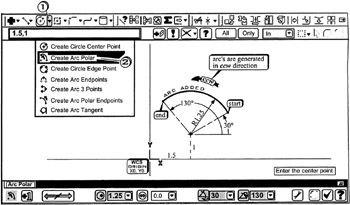
An arc is created at inputted center point, radius, starting angle and ending angle values.

Click
the...